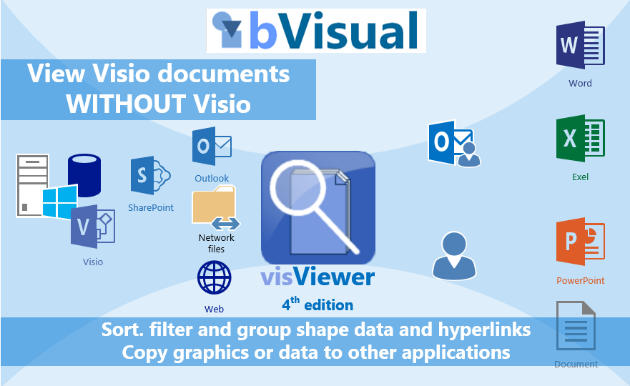
visViewer is a Windows application to view, search, analyze and report Visio documents without Visio.

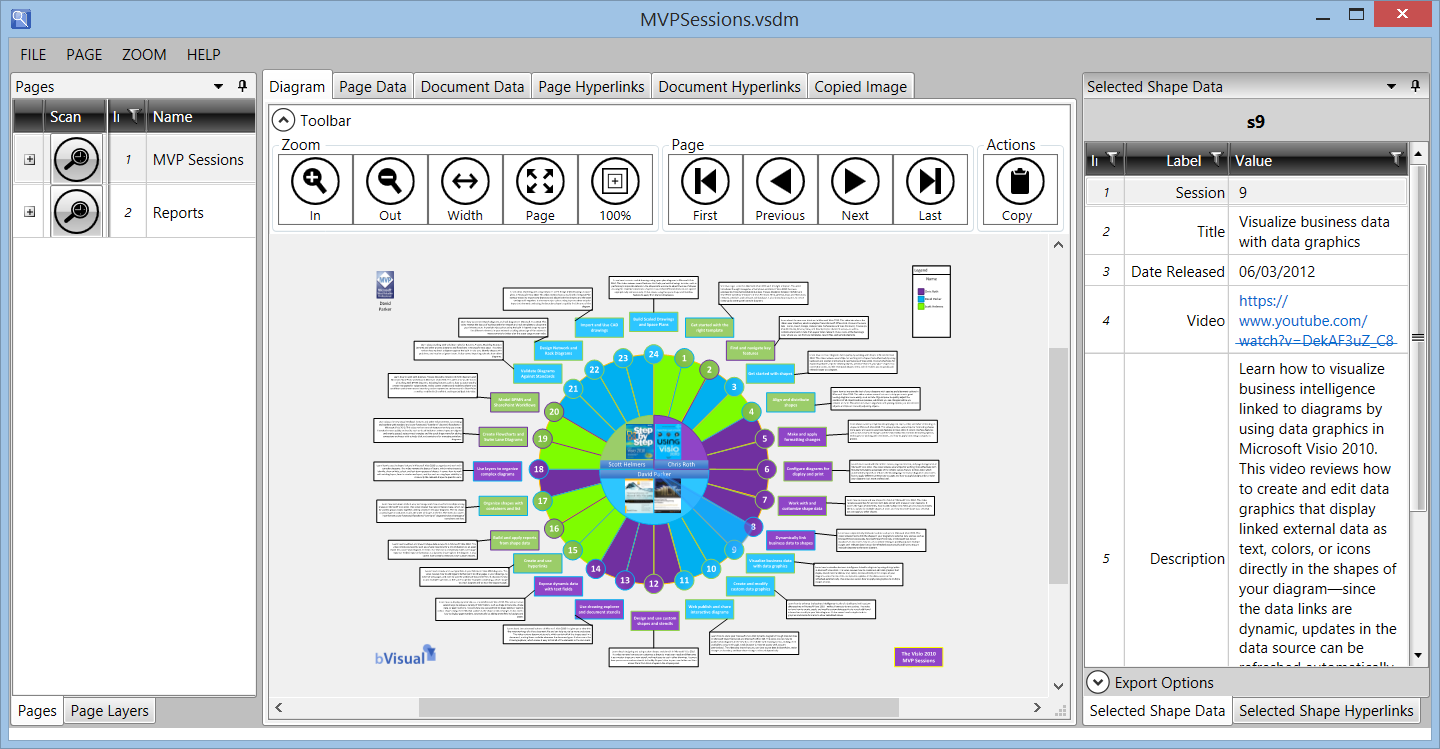
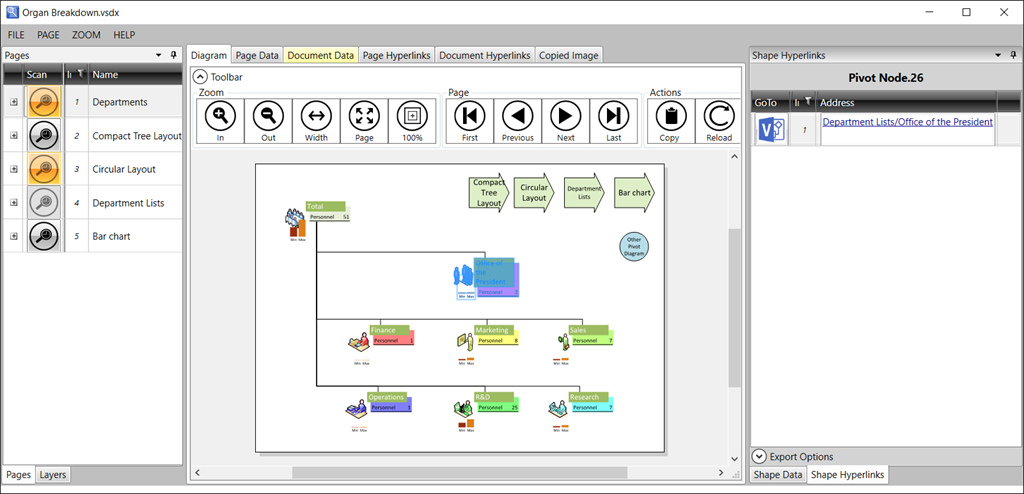
visViewer provides easy viewing of Visio files, without Visio, and the ability to switch layers on or off, search for shapes with specific data, and export images and shape data.
visViewer is both a Windows desktop application and Outlook for desktop add-in.
Please allow 24 hours for your activation code to be sent to you.
Request a download to try free for 30 days from here : Click
View the visViewer help file here : Click
visViewer for Microsoft Visio
Microsoft Visio is a most useful and versatile diagramming application that has the additional ability to include business information with every single graphical shape. Although Microsoft Visio is fairly inexpensive, and widespread, there are, unbelievably, still some people who need to view Visio documents but do not have the actual application available. There are others who may already have Visio but need to be able to easily copy images and data for use in other applications.
Microsoft Outlook users may have noticed that a Visio document viewer is available to view Visio documents received as email attachments, however there is little that can be done apart from viewing the graphics. Certainly, there is no ability to see the shape data, or the multiple hyperlinks, that may be locked into each shape.
Microsoft SharePoint on Premise users may be more fortunate, if they have an Enterprise Client Access License, because they can view some later Visio files stored on SharePoint using a web browser via the Visio web Access control in a web part.
Visio Online viewer can now be used to view native Visio files that are stored in SharePoint Online or OneDrive for Business, but there are many organisations that are not able to take advantage of this capability for financial, technological or security reasons.
This leaves many users within an organization unable to view Visio documents that have been created for them, unless each file is printed or saved into another format, such as PDF, XPS, or published as a web page. Converting a live Visio document into another format means that it is immediately out of date because it always has to be re-exported if and when it changes.
Microsoft introduced the Microsoft Visio Viewer in 2002 and has updated it to provide support for Visio versions 5 through to 2013. The viewer does have layer control; the first hyperlink on each shape; and shape data (the business information stored with each shape). It is free, and provides the ability to use Visio files as a portable format that can be viewed by non-Visio users. However, it needs to be hosted into another application, such as Outlook or a web-page browsed with Microsoft Internet Explorer. This is not always convenient and it has some limitations.
Therefore, bVisual has created the visViewer application to enable the viewing, and interrogation of the data, for all Microsoft Office users, regardless of whether they have a Microsoft Visio licence. Not only is it useful for non-Visio users who need to use the Visio files more interactively, it can be a companion for Visio users who need to view Visio files quickly, and copy some information or pictures simply. visViewer requires the free Microsoft Visio Viewer to be installed first but adds so much more power because the graphics, data and hyperlinks in Visio documents can be searched, filtered and exported to any other application, such as Microsoft Word or Microsoft Excel, or directly out to Pdf documents.
Do not expect the full capabilities of Microsoft Visio from a viewer … you will need to use Microsoft Visio for that!
KEY BENEFITS
- Stand alone application for viewing Visio files without Visio … without installing Microsoft Visio!
- Microsoft Outlook 2013+ add-in for viewing Microsoft Visio documents
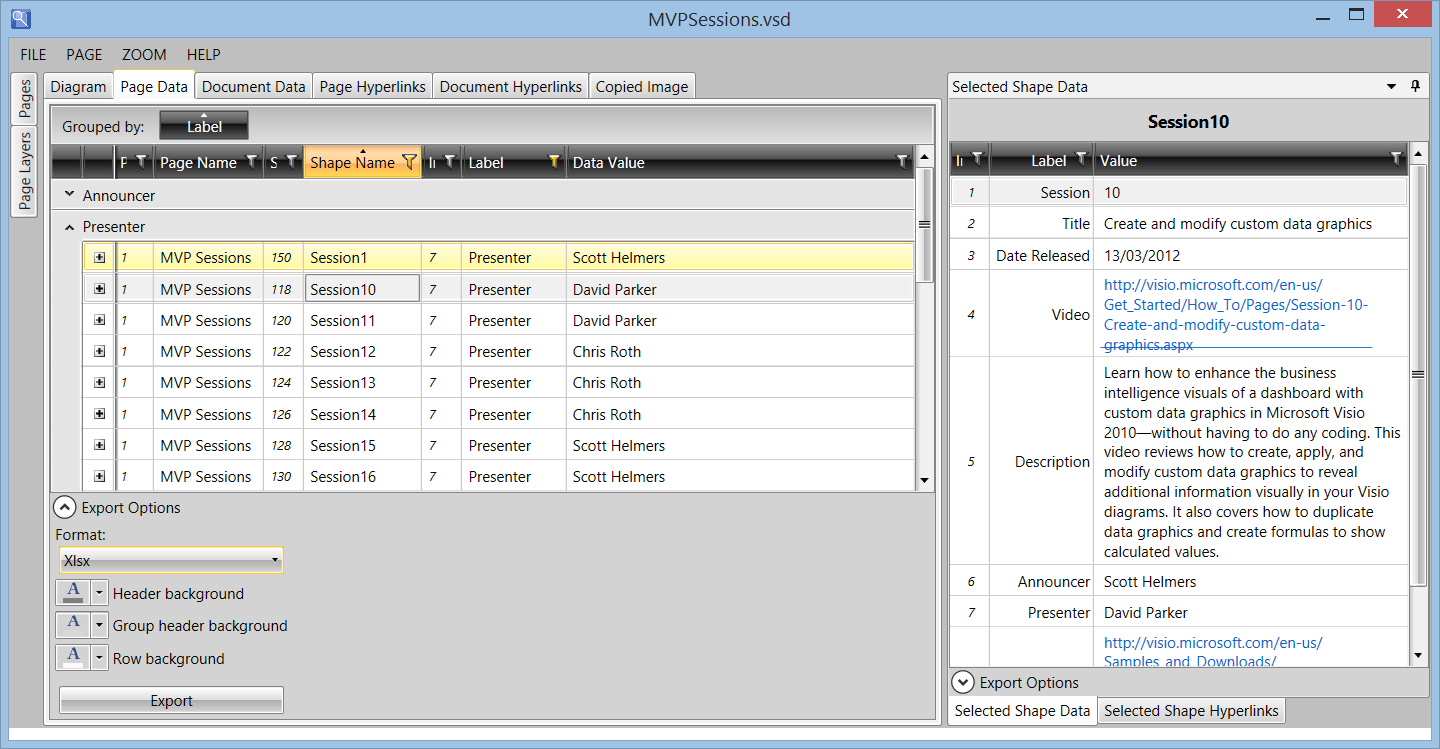
- Advanced sorting, filtering and grouping of shape data and hyperlinks.
- Create lists of data from diagrams and export to other applications
- Copy or export any part of a diagram simply
visViewer requires the FREE Microsoft Visio Viewer:
Available from here
* Microsoft Outlook 2010+ users should already have Microsoft Visio Viewer installed
4th Edition. Current version 4.0.0.8
RELEASE NOTES
The 4th edition is a complete re-write of the 3rd edition.
| Version | Date | Notes |
| 4.0.0.8 | 21 Jan 2015 | Changed initial LoadBehavior of Outlook addin to 16 from 9 |
| 4.0.0.7 | 20 Jan 2015 | Updated hash table of VSTO addin |
| 4.0.0.6 | 20 Jan 2015 | Ensured latest satellite dlls in install set |
| 4.0.0.5 | 14 Jan 2015 | Made visViewer open documents within same window from Outlook Updated splash screen Fixed shape selection from data tabs |
| 4.0.0.4 | 9 Jan 2015 | Changed Outlook add-in to Load on Demand from Load on Startup Improved screenshots in help file Strong signed all custom dlls |
| 4.0.0.3 | 7 Jan 2015 | Enabled floating and docking of document tables Fixed spelling, license status and file path on About dialog Improved button graphics |
| 4.0.0.2 | 6 Jan 2015 | Enabled change of current page from pages list Added Scan all pages to File menu |
| 4.0.0.1 | 5 Jan 2015 | First release for Windows 8 and Office 32bit |
Related Blog Articles
Update to visViewer for reload and Visio document links
I have made some small improvements to my visViewer application ( see http://www.visviewer.com/ ), and it will now work with the Microsoft Visio Viewer 2016 edition ( see Download Microsoft Visio 2016 Viewer from Official ) (more…)
Continue Reading Update to visViewer for reload and Visio document links
Announcing visViewer 4th edition … and why I did it
Sometimes I get really frustrated with Microsoft. They have a really great data-diagramming product with Visio, which they bought for the largest amount that they had ever paid for an acquisition at the time in 1999, but they have not succeeded in marketing the virtues of visual data to most of the Office community. I…
Continue Reading Announcing visViewer 4th edition … and why I did it
Visio Viewer Developer Reference Released
Following on from my blog about the Microsoft Visio Viewer, I am delighted that Microsoft have published a developer reference for it (long overdue, but very welcome). See the MSDN pages at http://msdn.microsoft.com/en-us/library/cc297217.aspx and Visio Insight blog http://blogs.msdn.com/visio/archive/2009/01/14/developer-reference-for-visio-2007-viewer-released.aspx
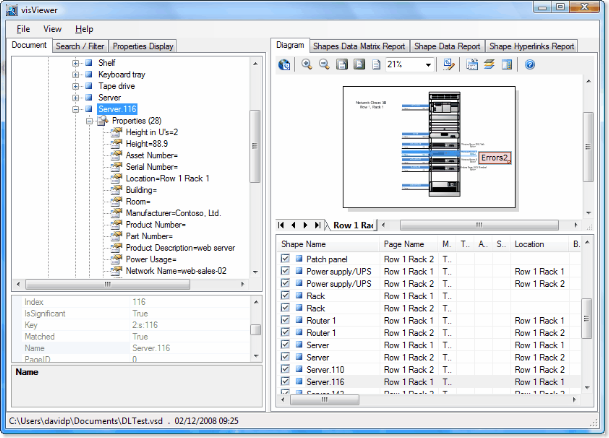
Using the Microsoft Visio Viewer (and introducing visViewer)
Microsoft Outlook 2007 installs the Microsoft Visio Viewer (vviewer.dll via vpreview.exe) by default, so that native Visio files can be seen in all their glory (almost). In this blog I’ll show that the Visio Viewer actually provides access to the Shape Data (Custom Properties), Hyperlinks, Reviewers Markup and Layers. All this without even having Visio…
Continue Reading Using the Microsoft Visio Viewer (and introducing visViewer)