“Managing a process model in a variety of languages and keeping the different copies synchronized, is the worst nightmare of any Process Analyst. The Multi-Language add-in you developed for us is exactly what we need and your support is more than I could have hoped for. It’s now just a simple trick to add a new language to an existing process model. When presenting the process model, the display language can easily be set to the audience’s needs. Not only does your add-in save me a lot of time, it really enhances the quality of our process models and…..it keeps my stress level down.”
Mireille Roose-Notebaart ~ Business Process & Quality Consultant, Edan Business Solutions

Multi-Language Text is free for 7 days from installation. If you should like the product, then we invite you to pay just $99 US / activation key (one required per user). This will ensure that the product is developed further, and encourage us to provide more tools for you.
Microsoft Visio is a most useful and versatile diagramming application that has the ability to include information with every single item. Although Microsoft Visio can be installed in many different language versions, it is not possible to maintain multiple language shape text or page names in the same document.
This can be a problem if you have a diagram that needs to be periodically updated because you will need to keep many different copies of the diagram synchronized. This will soon lead to errors or inconsistencies and the diagrams will become misleading and inaccurate.
bVisual developed an add-in for Microsoft Visio 2013, and have now updated it for all newer versions, that enables you to put alternative language translations of the text in every shape text and even the names of each page.
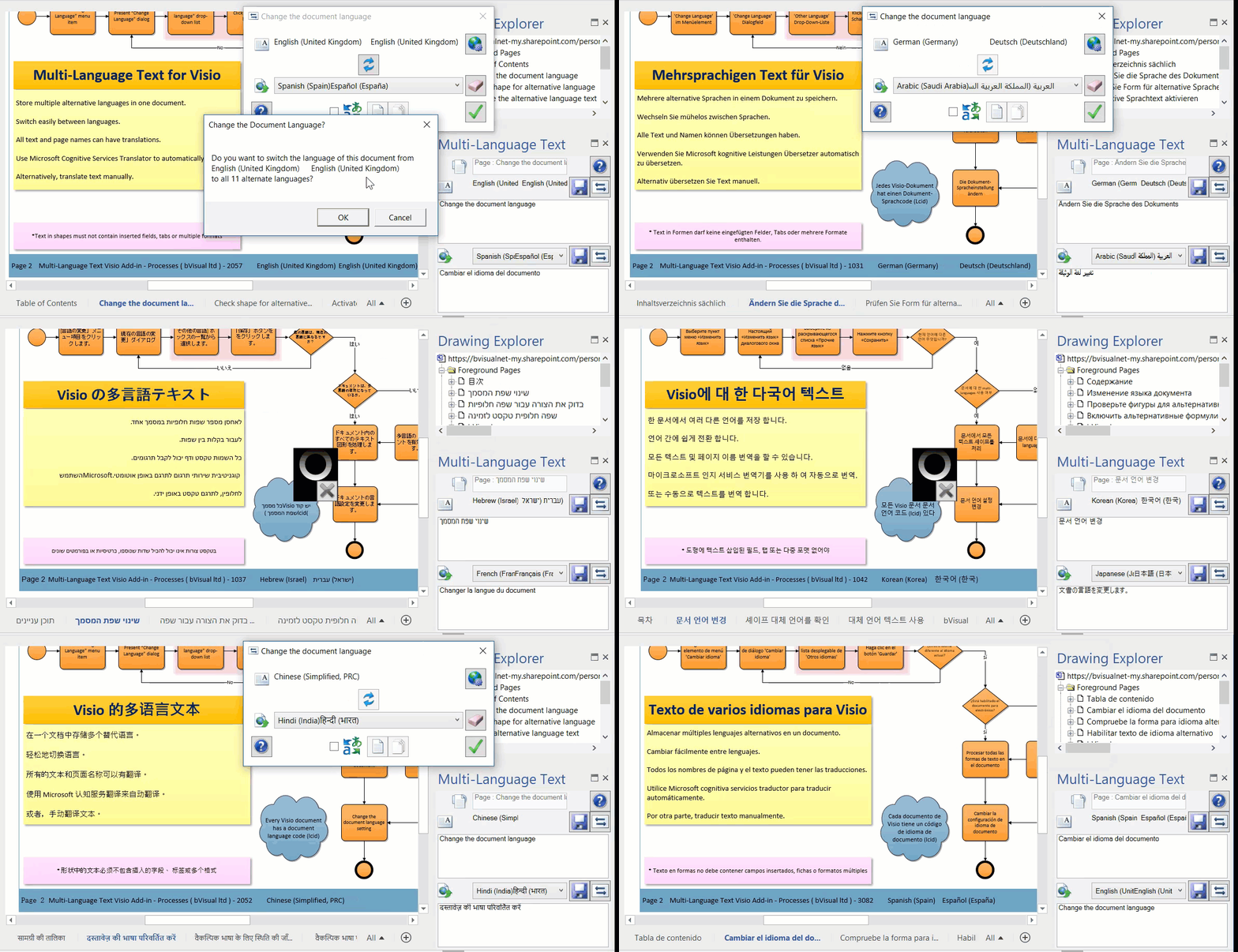
There are 98 different languages supported by Visio, and you can add alternate text for all of them, if you need to. You can even use Microsoft Cognitive Services Translator to automatically translate a large number of these languages. The add-in will also maintain hyperlinks that have been created between pages in the document, even after the names of pages have been changed.
Key Benefits
- No more alternate language copies of Visio diagrams required
- Check alternate language texts in one place
- Simple one-click button to switch the display between different languages
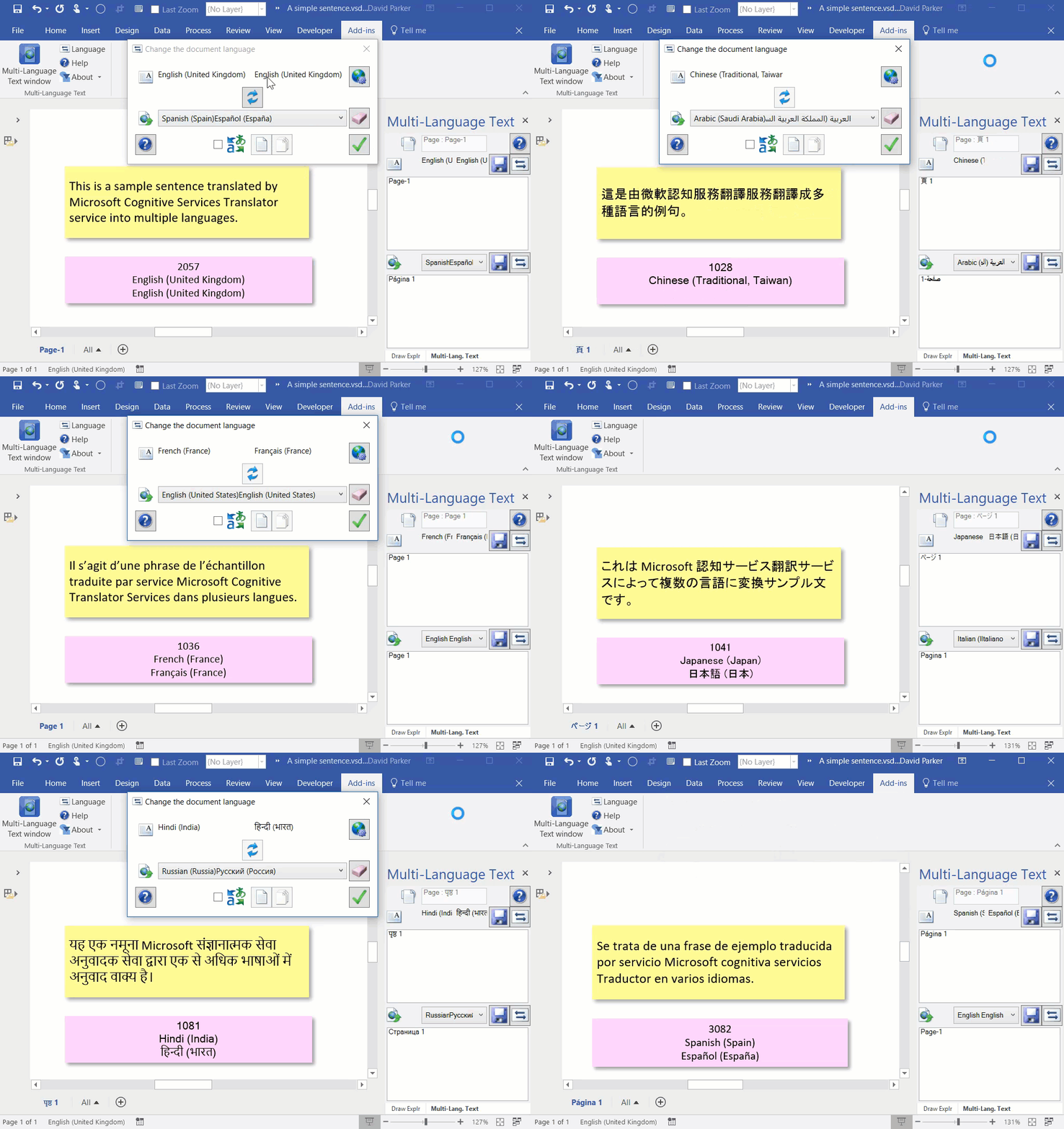
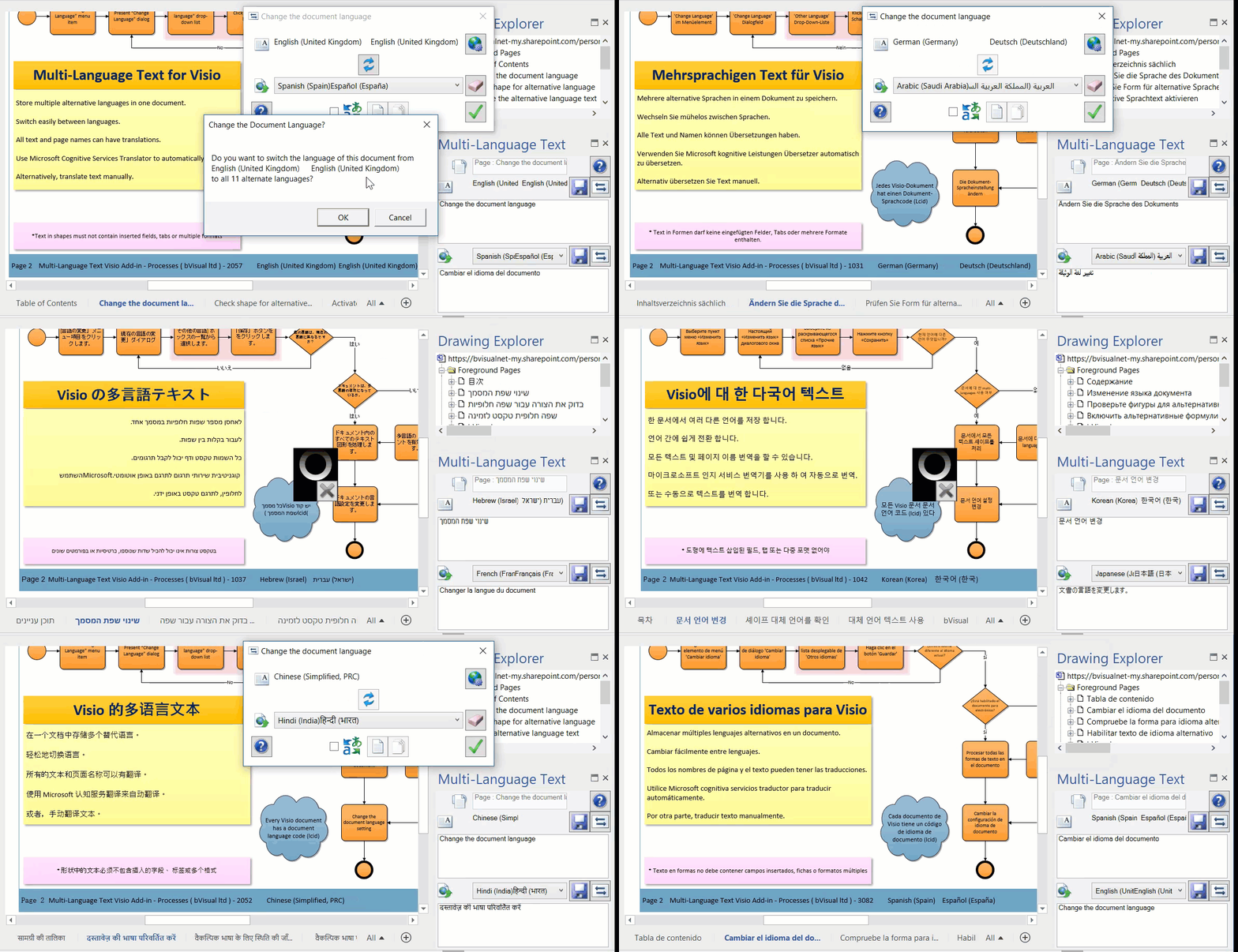
Sample output
Note : All of these alternative languages were automatically translated using Microsoft Cognitive Services Translator – so, any errors are Microsoft’s!
| Language | LCID | |
| English (UK) | 2057 | Click |
| French (France) | 1036 | Click |
| German (Germany) | 1031 | Click |
| Spanish (Spain) | 3082 | Click |
| Italian (Italy) | 1040 | Click |
| Dutch (Netherlands) | 1043 | Click |
| Arabic (Saudi Arabia) | 1025 | Click |
| Hebrew (Israel) | 1037 | Click |
| Japanese (Japan) | 1041 | Click |
| Korean (Korea) | 1042 | Click |
| Russian (Russia) | 1049 | Click |
| Hindi (India) | 1081 | Click |
Here is the actual Viso diagram that contains all of the above languages (and more): Click
Related blog articles
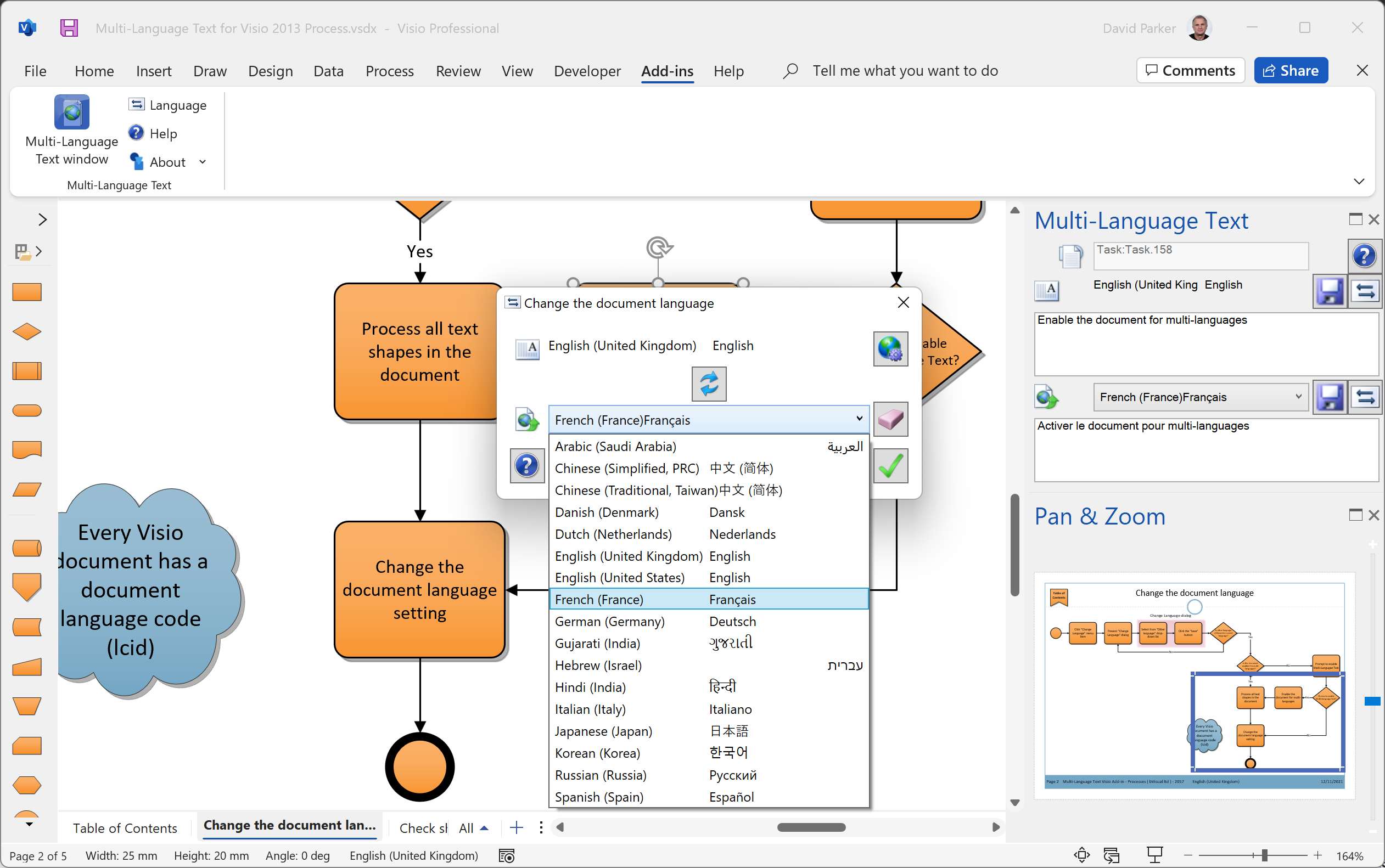
Have multiple alternate languages in the same Visio diagram
I wrote a Visio add-in a few years ago that provides the ability to switch a multi-page Visio diagram between alternative languages. This particular client had just under a hundred pages of process flowcharts, with hyperlinks between the pages. They had to produce this Visio document in seven different languages and got extremely fed-up with…
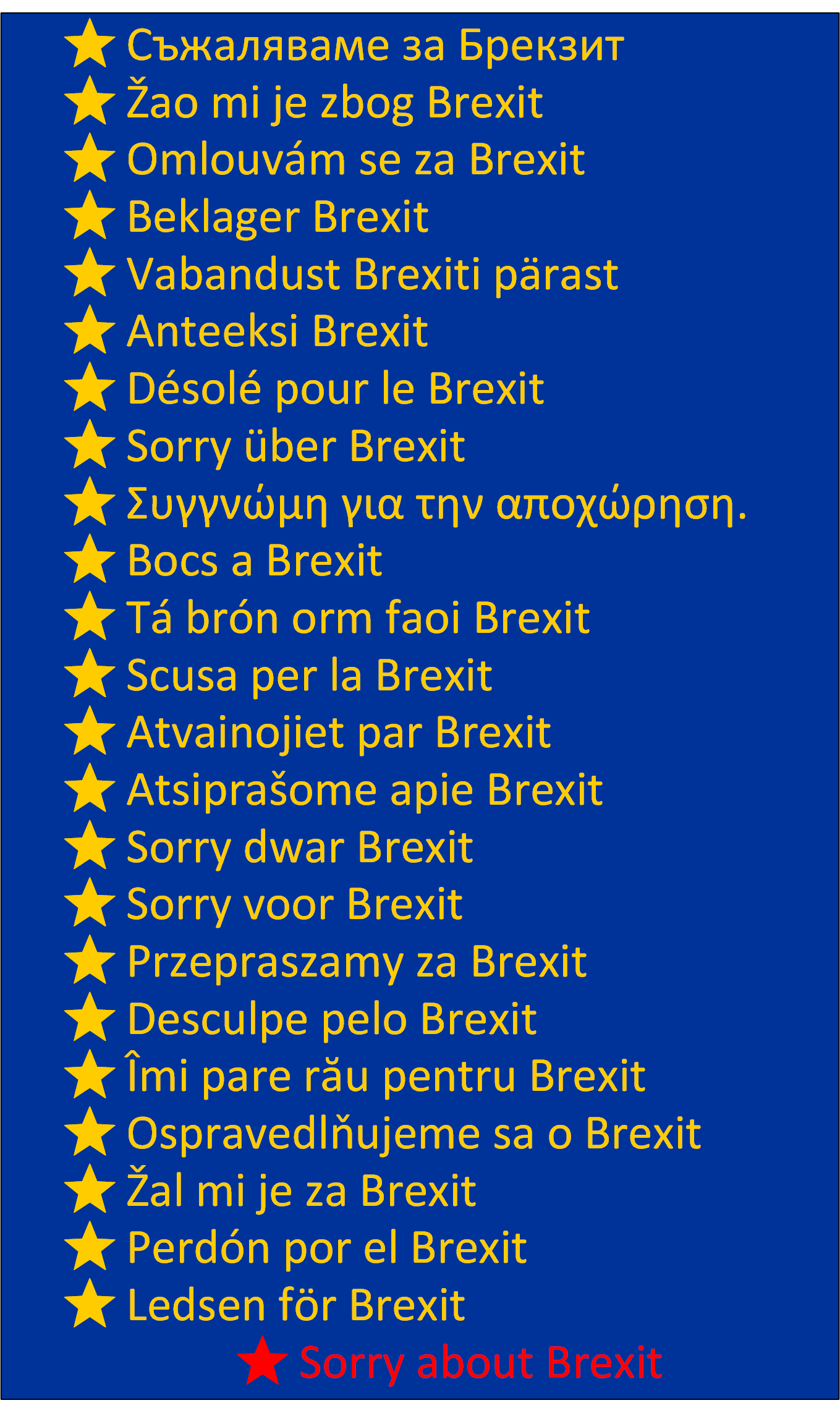
Sorry about Brexit
In these days of political uncertainty in the UK, and our position in Europe or the world, there is only one thing that I can say: Sorry about Brexit … in every main language of the EU countries .. using data-linked shapes in Visio.
Embedding multiple language texts in one document in Visio
A few years ago, I was asked to write an add-in for Visio that could switch the text in each flowchart shape between different languages. The client required 5 different alternate languages to be supported, and they had the same 99 page Visio document copied 5 times, and each time there was an edit to…